



5 Easy Steps to an Organized Sports Card Collection
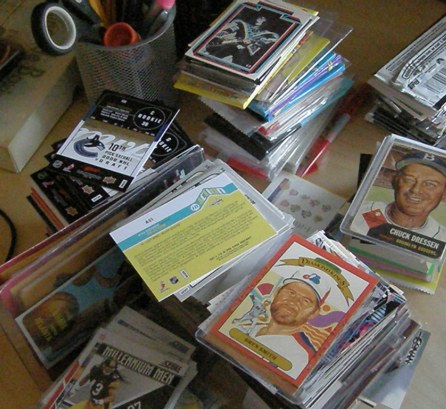 If you're like me, there's a part of your house that has stacks of cards everywhere. For me, it's the desk in the basement. In my mind, they're all organized and a couple of steps away from being put away properly. But without taking a few extra steps, once I tuck them away, I may lose track of them among the many boxes I've got stacked on various shelves and tucked away in closet bins throughout the house. Organizing your sports card collection isn't tough and doesn't need to cost much, but it's vital for staying on top of what you have. And by putting in some time upfront, you could save a lot more in the long run.
How to Organize Your Sports Card Collection
Here are five cheap and easy ways to keep your growing collection organized, your desk clear and your significant other happy. You may be doing some of them already, at least partly. But if you bring them all together, you'll be able to find any of your cards quickly, regardless of the size of your collection.
1. Get Some Order
Getting your cards in order is a must, particularly for any product you bust more than a handful of packs of. Usually, this means numerical order. Thumbing through a pile of 100 cards to pull commons for a trade is easy when they're already arranged. Doing it with a stack that's pack-fresh and mixed up is extremely frustrating and time-consuming. It's also easy to overlook and misplace cards.
Putting a box of cards in order doesn't take that much time. A box of 200 cards might take 15 minutes. It's not like it's a hard job that requires a lot of thought. Flip on the TV and watch some Breaking Bad or sports highlights while you're at it. For large sets, I start out by sorting into stacks based on hundreds (1-99 in stack one, 100-199 in stack two, 200-299 in stack three, etc). From there, I use the same method but into piles of tens (1-9, 10-19, 20-29, etc.). Another great thing about putting your cards in numerical order is that you naturally spend more time with your cards, looking through them and connecting with them.
2. Make a Catalog
This step can be extremely time-consuming and may not be for everyone. If you do much trading online, though, it may be essential. I keep a database of all my cards using Microsoft Access. This way I can quickly sort by year, set, player, team, insert type and more. I probably go a little overboard, but when I started, I had good intentions. Others make similar lists using spreadsheets like Microsoft Excel or Google Docs.
How you collect, trade and sell should dictate how much detail you need. For set builders, simple numerical lists should work. These could even be done with a word processor. However, if you deal a lot in specific players or teams, a spread sheet or database would be better.
I've tried out a couple of online organizational tools but I've yet to find one that's any easier. Usually, looking up and finding the right cards takes more time than a simple spreadsheet entry.
However you decide to catalog your sports card collection, it's vital that you keep it updated by adding new cards and deleting those that you've gotten rid of.
Besides knowing everything that you have, cataloging makes sharing your collection with potential buyers and traders, as well as insurance companies, simple.
3. Feed the Monster
So you've got your cards in order and you know exactly what you have. It's now time to put them away. When I started collecting, I had cards from every set in different boxes. While it kept them separated nicely, soon became tough to find the particular box I was looking for.
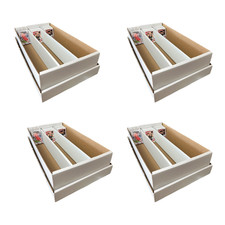
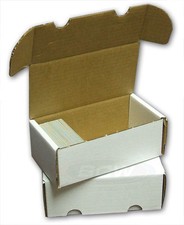
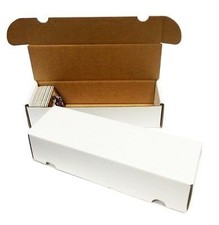
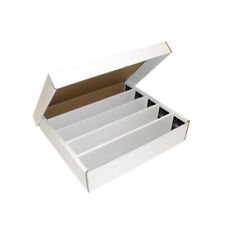
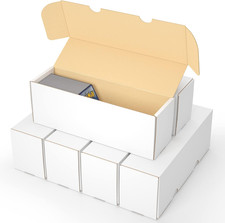
I've since moved to monster boxes for almost all my extra cards (I still like my complete sets to be on their lonesome or in a binder). The 3,200-card box seems to be the most convenient, particularly when it comes to storage. 5,000-card boxes also work if you've got the space. I arrange my monster boxes chronologically first, then alphabetically. As one box fills up, I simply go to the shop and add another, continuing on from where I left off.
Organized monster boxes make finding cards from many sets and even years painless. And if they're already organized numerically, it's simple. For around $5, one monster box is also a lot cheaper than buying several plastic 100-count boxes or a handful of smaller cardboard boxes.
4. Divide and Conquer
Even with your collection sorted, cataloged and lined up neatly in monster boxes, the job isn't done yet. The cards are still piled together so finding your Topps Chrome and Bowman Chrome singles still might take some flipping. More flipping means more wasted time. The solution is easy, fast and cheap.
In my office I always have a stash of blank index cards for such occasions. Every time I buy cards from a new set, I grab an index card and use it to make a labelled divider for the set. It does take a small bit of customizing, though. I flip the index card vertically, trim the bottom so it can stand in the monster box and write the year and name of the set on top. Once it's in the already-organized monster box, it gives a nice visual of where cards from any given set are.
Index cards are available at most dollar stores in packs of 100. I have seen heavy-duty card dividers in hobby shops, but they're much more expensive, running about $7 to $10 for 50. They'd be fine if you simply wanted to divide boxes by year, but the cost makes them not the most ideal option for itemized sorting. Index cards may not be as durable, but they are cheap enough that they can be easily replaced.

5. Lastly, Labels
Congratulations! Your desk is clear and your collection is sorted and in its place. You're almost there. But there's one small step left to having a fully organized collection: labeling your boxes.
I usually see monster boxes in two states: written on with a permanent marker or completely clean. Both are less than ideal, particularly if your collection is constantly changing.
Markers are permanent and can't be erased. If I get some older cards, I can't just toss them into my box of recent releases. I need to go back and shift cards forward or backward. Using markers, the only way I can make the change is with ugly scribbles. And after more than a couple of card shifts, the side panels aren't legible anymore.
No labels lead to a toss-up when it comes time to pull or add cards. If your collection is limited to less than a handful of boxes, this is probably okay. But once you get more than a few boxes, you're wasting time.
After years of going with the scribble method, I've changed gears for labeling the outsides of my boxes. I got a pack of file folder labels and simply write the box configuration on them. The sticker then goes on the end of the box so when I go to the stack, I can easily pick out exactly the one I need. If the makeup of the box changes, I simply write a new label and place it on top of the old one. It's a fast and cheap solution that makes my boxes more attractive.
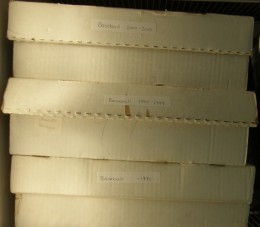
Finally, you have an organized sports card collection. To keep it that way, simply repeat these five easy steps every time you get new cards - even if it's just a couple of packs. Trust me, those stacks can add up quickly. And when the piles do appear, the stress of being disorganized, plus the dagger looks from the other people you share your home with, will return as well.
 | Making purchases through affiliate links can earn the site a commission |



















Dream Proxies
Thanks, I have been seeking for facts about this topic for ages and yours is the best I have found so far.